AP Statistics
A survey asks 50 students in one class whether they prefer homework online. What is the population?
You picked the 50 students asked.
The plan
Marlio fits every AP class around your tests, your schoolwork and the time you have, and says why each block is where it is.
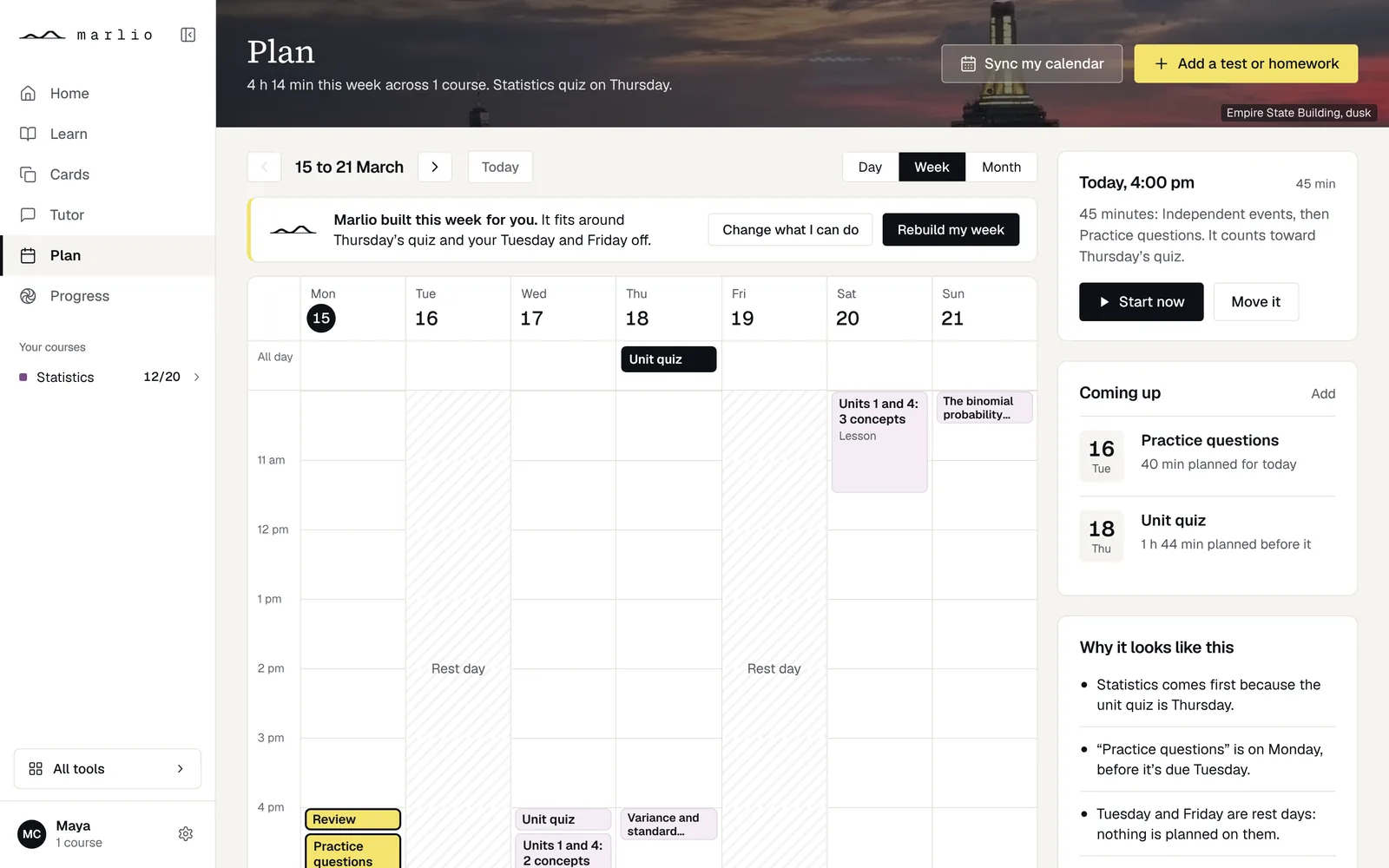
Marlio built this week for you. It fits around Thursday’s quiz and your Friday off.
Mon
Tue
Wed
Thu
Fri
01
The week as a calendar: hours down the side, tests in the all-day row, your own calendar hatched, and Marlio’s blocks in course colours with their reason under the title.
It opens with the line Marlio built it around, and beside it “Why it looks like this”: the facts of the week, from your tests, your commitments and your schoolwork.
02
A question you miss becomes a card in your deck and a block in tonight’s plan.
Miss a day and Marlio moves the blocks. Nothing counts against you.
AP Statistics
A survey asks 50 students in one class whether they prefer homework online. What is the population?
You picked the 50 students asked.
Questions you missed, a deck
Population
Everyone the question is about. The sample is who was measured.
Tonight
03
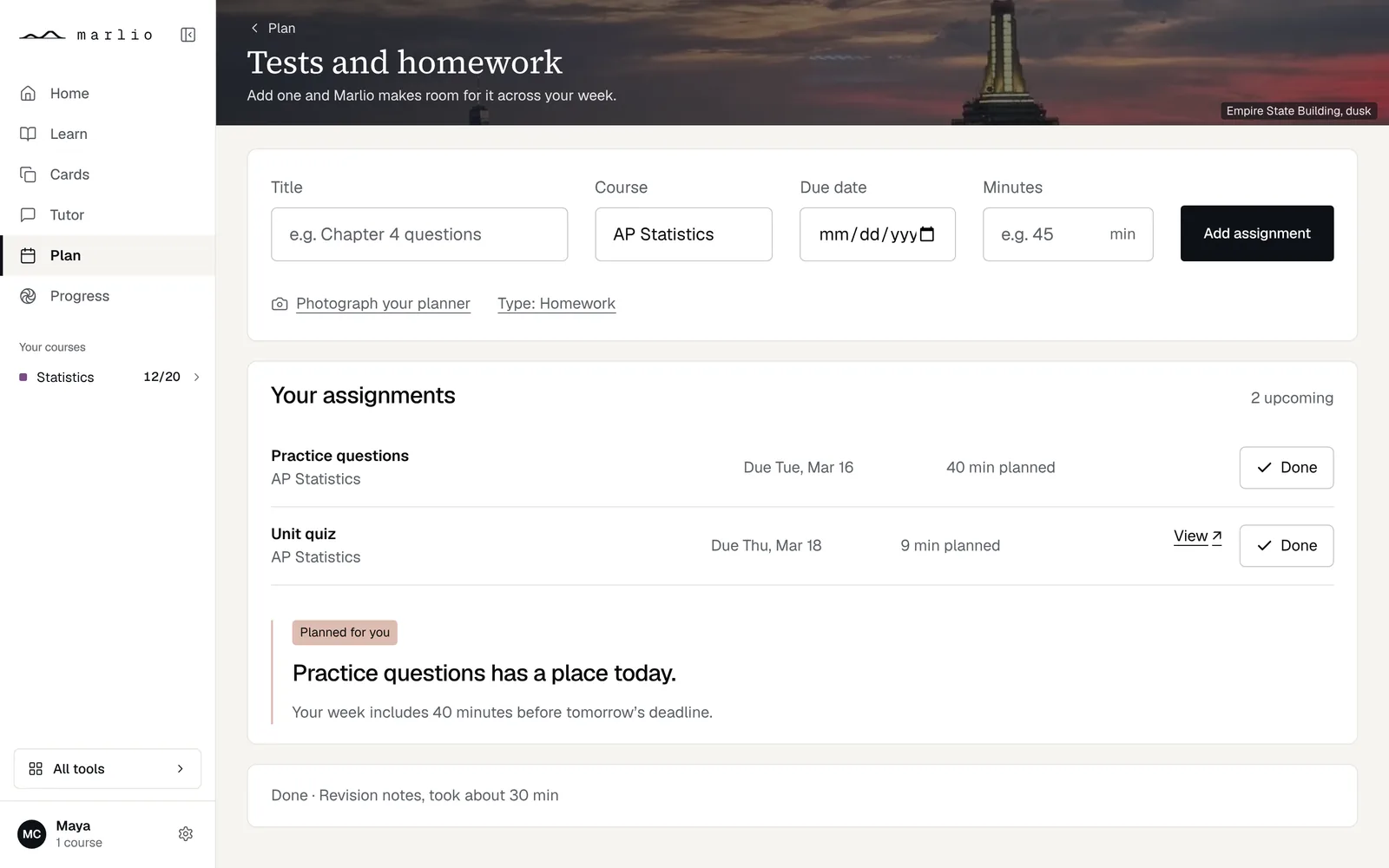
Add a test or homework with its course, its due date and its minutes, or “Photograph your planner”. Add one and Marlio makes room for it across your week.
04
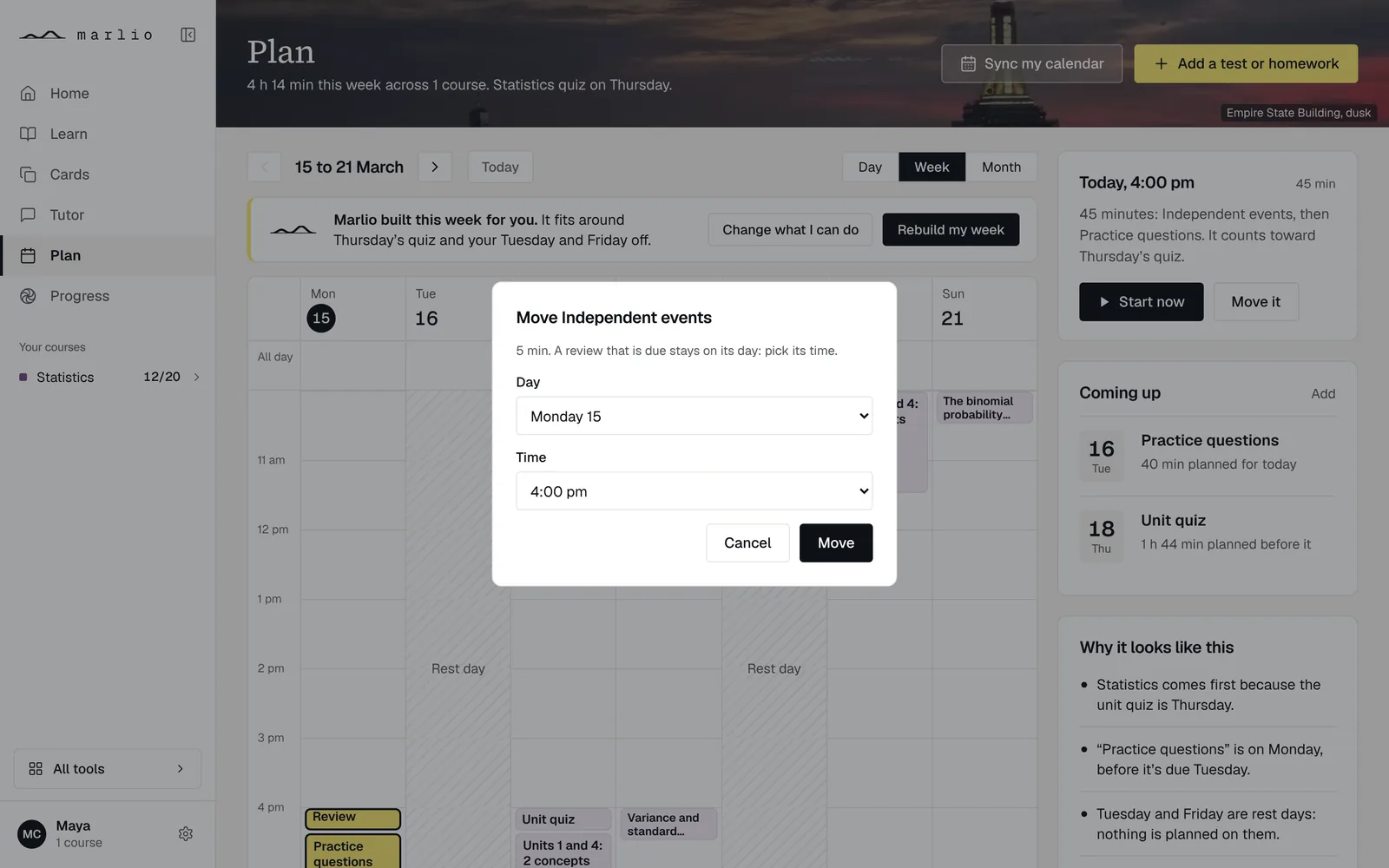
Drag a block to another time, or use its “Move” button to choose a day and a time. “Rebuild my week” plans the week again.
Sessions are sized from how fast you have learned so far: 15 to 60 minutes a concept.
05
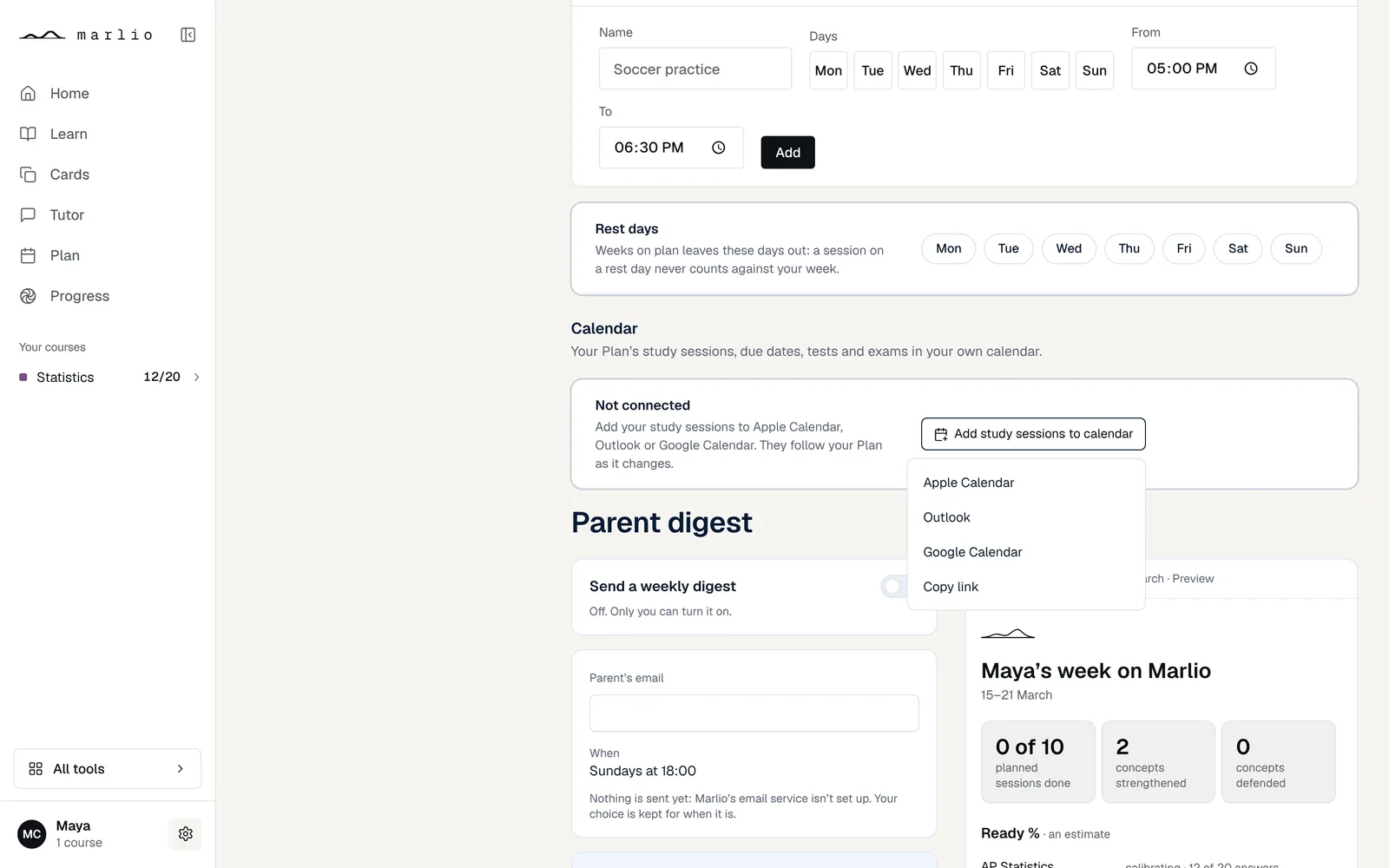
“Sync my calendar” on the Plan. Add your study sessions to Apple Calendar, Outlook or Google Calendar. Your sessions follow the Plan as it changes. Your calendar app checks for changes on its own schedule.